
The new firmware update support for Windows 10 ended on October 14, 2025, microsoft is no longer providing free software updates from Windows Update, technical assistance, or security fixes for Windows 10. Your PC will still work, but we recommend moving to Windows 11, and learn more. The update is listed as a “May 06 release” on the Surface Book Update History page.
Changelog for May 06, 2026 Updates
Below is the complete changelog provided by Microsoft for the new updates. It includes the name and version listed in the Windows Updates and the name listed in Device Manager.
| Windows Update History Name | Device Manager Name | Version and Update |
|---|---|---|
| Surface – Firmware – 92.3681.768.0 | Surface UEFI – Firmware | 92.3681.768.0 Addresses security updates and improves system stability. |
| Surface – Firmware – 11.8.82.3838 | Surface ME – Firmware | 11.8.82.3838 Addresses security updates and improves system stability. |
| Intel – System – 2040.100.0.1029 | Intel(R) Management Engine Interface – System | 2040.100.0.1029 Addresses security updates and improves system stability. |
| Intel – SoftwareComponent – 1.62.321.1 | Intel(R) ICLS Client – Software devices | 1.62.321.1 Addresses security updates and improves system stability. |
| Surface – Extension – 1952.14.0.1470 | Intel iCLS Client Extension | 1952.14.0.1470 Addresses security updates and improves system stability. |
Getting the Updates via Windows Update
You can get this new Firmware Update via Windows Updates, as we detailed here:- On Windows 11, go to Start > Settings (Win + I) > Windows Update and click the "Check for updates" button.
- On Windows 10, go to Start > Settings > Update & security and click the "Check for updates" button.
Downloading the Updates from Microsoft
Alternatively, you can download the latest cumulative driver and firmware update for Surface Book from Microsoft Download Center via the following links.
- Surface Book Drivers and Firmware
https://www.microsoft.com/en-us/download/details.aspx?id=49497
Surface Book Update History
2026
 How to get updates, improvements and fixes in the updates, and additional steps for Surface Book.View
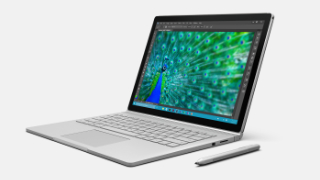
- Device driver and firmware servicing period has ended, this device is no longer within its driver and firmware servicing period and will no longer receive new updates. However, previously released updates will remain available for download, to stay current with the latest performance, battery life, and AI-powered experiences, explore the newest Surface PCs—created with the signature Surface design and built for modern productivity, and explore the newest Surface PCs.View
- Support for Windows 10 ended on October 14, 2025, microsoft is no longer providing free software updates from Windows Update, technical assistance, or security fixes for Windows 10. Your PC will still work, but we recommend moving to Windows 11, and learn more.
2021
2020
2019
- 91.2706.768.0 resolves potential security vulnerabilities, including Microsoft security advisory 190013.View
2018
- 10.25.0.10 resolves battery consumption issue associated with Windows 10 October update (version 1809).View
2017
- 1.1.333.0 enables Power Slider feature that improves both battery life and the adaptive brightness feature.View
- Improve battery life during sleep, system stability and performance, and improve the stability and power utilization of the USB hub in the device base.View
2016
- Improve pen performance in some applications, improve clipboard and keyboard interoperability, and add support for upcoming product releases.View
- Improve the device's battery life, stability, and performance when you change between power states and make sure the default Balanced power plan is set correctly when the operating system is updated.View
- Improve touch stability and screen brightness when the device resumes operation from sleep or hibernation, improve pen pairing with the device and optimize log file storage space managementView
- Improve the stability of the keyboard, address issues with touch, pen ink, and eraser button, and improve graphics performance and audio stability.View
- Improve system stability when the device resumes operation from sleep or hibernation and optimizes battery use in connected standby and more.View
- Improve battery utilization in connected standby, touch stability, and system stability resuming from sleep or hibernation.View
0029


COMMENTS
Let us know what you think!
We appreciate hearing your thoughts, questions, and ideas about “Surface Book May 2026 update is now available to install via Windows Update”.