
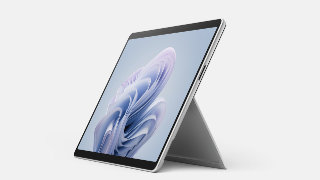
Microsoft has started rolling out new firmware updates for Surface Pro 10. The latest update is available for Surface Pro 10 for businesses running Windows 10, Version 22H2 or later.
The new firmware update improves the camera, Windows Studio Effects, battery and charging, thermal, and power management. It is listed as an “April 09 release” on the Surface Pro 10 Update History page.
Improvements
This update has been designed to enhance the user experience and device stability. It includes improvements in the following areas:
Microsoft Support
- Camera and Windows Studio Effects
- Battery and charging
- Thermal and power management
- Wi-Fi and Bluetooth
- Display
- Audio
Changelog for April 09, 2024 Updates
Microsoft has provided the complete changelog for the new updates. It comprises the name and version listed in Windows Updates and the name mentioned in Device Manager.
| Windows Update Name | Device Manager |
|---|---|
| Intel Corporation – Bluetooth – 23.30.0.3 | Intel(R) Wireless Bluetooth(R) – Bluetooth |
| Intel – net – 23.30.0.6 | Intel(R) Wi-Fi 6E AX211 160MHz – Network adapters |
| Surface – System – 6.213.42.0 | Surface Integration Service – System devices |
| Surface – System – 6.35.21.0 | Surface Machine Learning Service Device – System devices |
| NXP Semiconductors – Proximity – 13.0.3.0 | Nxp Nfc Client Driver – Proximity devices |
| NXP Semiconductors – Extension – 3.0.0.3 | Nxp Nfc Client Driver – Extensions |
| Microsoft Corporation – Software Component – 1.0.38.0 | Windows Studio Effects Camera – Software Components |
| Microsoft Corporation – Software Component – 1.0.38.0 | Windows Studio Effects Driver – Software Components |
| Intel Corporation – Extension – 31.0.101.5333 | Intel(R) Graphics – Extensions |
| Intel Corporation – Display – 31.0.101.5333 | Intel(R) Graphics – Display Adapters |
| Surface – Extension – 0.0.5.0 | Intel(R) Quick SPI Host Controller – Extensions |
| Surface – Surface System Management – 8.96.22.0 | Surface Thermal Policy Driver – Surface System Management |
| Surface – Firmware – 112.0.0.95 | Surface SMF Capsule – Firmware |
| Surface – System – 3.204.31.0 | Surface Hot Plug – KIP |
| Surface – System – 112.14.35.0 | Surface Integration – System devices |
| Surface – Extension – 64.22000.13.15172 | Intel(R) MTL AVStream Camera – Extensions |
| Surface – Extension – 64.22000.13.15172 | Camera Sensor IMX681 – Extensions |
| Surface – Extension – 64.22000.13.15172 | Surface Camera Rear – Extensions |
| Surface – Extension – 64.22000.13.15172 | Surface IR Camera Front – Extensions |
| Intel Corporation – System – 64.22000.13.15172 | Intel(R) MTL AVStream Camera – Cameras |
| Intel Corporation – System – 64.22000.13.15172 | Intel(R) Control Logic – System devices |
| Intel Corporation – System – 64.22000.13.15172 | Intel(R) Imaging Signal Processor – System devices |
| Intel Corporation – System – 64.22000.13.15172 | Camera Sensor IMX681 – System devices |
| Intel Corporation – System – 64.22000.13.15172 | Surface Camera Rear – System devices |
| Intel Corporation – System – 64.22000.13.15172 | Surface IR Camera Front – System devices |
| Surface – Firmware – 11.2.143.0 | Surface UEFI – Firmware |
| Surface – Firmware – 27.5.139.0 | Surface System Aggregator – Firmware |
Getting the Updates via Windows Update
You can get this new Firmware Update via Windows Updates, as we detailed here:
On Windows 11:
- Go to Start > Settings (Win + I)
- Go to Windows Update and click on the “Check for updates” button
On Windows 10:
- Go to Start > Settings > Update & security
- From the Windows Update tab, click “Check for updates”
If your Surface Pro 10 did not receive the update, it should now be available on the Windows Update list.
Downloading the Updates from Microsoft
Alternatively, you can download the latest cumulative driver and firmware update for Surface Pro 10 from the Microsoft Download Center via the following links.
- Surface Pro 10 Drivers and Firmware
https://www.microsoft.com/en-us/download/details.aspx?id=105947 - Surface Pro 10 Download Center
https://surfacetip.com/download/surface-pro-10/
Surface Pro 10 Update History
 How to get updates, improvements and fixes in the updates, and additional steps for Surface Pro 10 for Business.View
- How to get updates, improvements and fixes in the updates, and additional steps for Surface Pro 10 for Business.View
- How to get updates, improvements and fixes in the updates, and additional steps for Surface Pro 10 for Business.View
- How to get updates, improvements and fixes in the updates, and additional steps for Surface Pro 10 for Business.View
- Firmware updates can’t be uninstalled or reverted to an earlier version, when you install the latest update, you'll also get all the previous updates if your Surface doesn't have them already. Only updates that apply to Surface will be downloaded and installed, and after the updates are installed, restart your device to complete the installation process. To restart your device, select Start , and then select Power > Restart.View
- Enables a dynamic backlight experience that will adjust your keyboard lighting for the best visibility as your environmental lighting conditions change.View
- Addresses potential security vulnerabilities that may allow denial of service, escalation of privilege, code execution, or information disclosure and fixes an issue with incorrect serial numbers and model names for the device.View
- Addresses potential security vulnerabilities related to Intel® PROSet/Wireless WiFi Software Advisory INTEL-SA-01398 that may allow denial of service, addresses a potential NPU security vulnerability that may allow an attacker to load malicious code. , fixes an issue that causes camera instability, and more.View
- Addresses a fingerprint authentication bypass security vulnerability to prevent spoofing attacks, addresses potential security issues that may allow escalation of privilege, denial of service, or information disclosure, resolves an issue where the keyboard stops responding after the device comes out of hibernation, and more.View
- Resolves an issue due to which the device was unable to save photos using the Windows Camera app.View
- Addresses the problem that caused intermittent glitches and distortion in audio during Teams' calls, resolves the issue that caused the Slim Pen input to be detected on the external monitor when the device's lid was closed, fixes the problem that resulted in unexpected shutdown and system reset, and more.View
- Addresses security vulnerabilities, securing devices from potential threats, enhances the Battery Protection Mode feature by activating protection only when necessary, which helps extend the battery's lifespan and maintain its health, and addresses system performance issue when the system is running in Recommended power mode.View
- Fixes an issue where keypresses and the touchpad did not function correctly when connected to the device, resolves an issue where waking the device from sleep mode required holding the power button instead of a simple tap or key press, addresses the concern where the Slim Pen would unexpectedly charge when the device resumed from sleep mode, impacting power consumption, and more.View
- Improves the device's ability to regulate temperature effectively when linked to a Surface Dock, optimizing performance and longevity.View
- Enables a seamless experience of using the new Pro Flex Keyboard with Slim Pen on the latest Surface Pro devices.View
- To enhance user experience and boosts device performance across Wi-Fi and Bluetooth, audio, display, and more.View
- Improve the camera, Windows Studio Effects, battery and charging, thermal, power management, and more.


COMMENTS
Let us know what you think!
We appreciate hearing your thoughts, questions, and ideas about “Surface Pro 10 Receives First Firmware Updates from Microsoft”.