
The new firmware update device driver and firmware servicing period has ended, this device is no longer within its driver and firmware servicing period and will no longer receive new updates. However, previously released updates will remain available for download, to stay current with the latest performance, battery life, and AI-powered experiences, explore the newest Surface PCs—created with the signature Surface design and built for modern productivity, and explore the newest Surface PCs. The update is listed as a “May 16 release” on the Surface Go Update History page.
Changelog for May 16, 2026 Updates
Below is the complete changelog provided by Microsoft for the new updates. It includes the name and version listed in the Windows Updates and the name listed in Device Manager.
| Windows Update Name | Device Manager |
|---|---|
| Intel Corporation – Bluetooth – 23.30.0.3 | Intel Wireless Bluetooth – Bluetooth |
| Intel – net – 23.30.0.6 | Intel Wi-Fi 6 AX201 160MHz – Network adapters |
| Surface – Extension – 6.16.8.0 | Surface Dock 2 Firmware Update – Extensions |
Getting the Updates via Windows Update
You can get this new Firmware Update via Windows Updates, as we detailed here:- On Windows 11, go to Start > Settings (Win + I) > Windows Update and click the "Check for updates" button.
- On Windows 10, go to Start > Settings > Update & security and click the "Check for updates" button.
Downloading the Updates from Microsoft
Alternatively, you can download the latest cumulative driver and firmware update for Surface Go from Microsoft Download Center via the following links.
- Surface Go WiFi
- Surface Go with LTE
Surface Go Update History
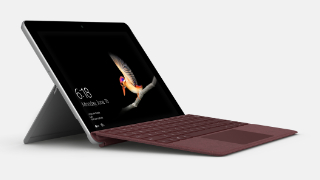
 Device driver and firmware servicing period has ended, this device is no longer within its driver and firmware servicing period and will no longer receive new updates. However, previously released updates will remain available for download, to stay current with the latest performance, battery life, and AI-powered experiences, explore the newest Surface PCs—created with the signature Surface design and built for modern productivity, and explore the newest Surface PCs.
- Improves device connectivity, and fixes a flickering or screen flashing issue when the device is connected to Surface Dock 2.View
- Improve battery Smart Charging reliability, camera experience, and Surface Dock 2 reliability, and facilitates power and thermal-related data analysis.View
- Resolves intermittent Pen top button click failure on Surface Pen with no clip, post Windows 10 October 2018 Update.Use the Surface Pen Checker Tool to verify that the Pen’s firmware was successfully updated.View
- 3.0.10.1 resolves intermittent pen top button click failure on Surface Pen with no clip, post Windows 10 October 2018 Update.Use the Surface Pen Checker Tool to verify that the Pen’s firmware was successfully updated.View
- Improves display calibration addressing incorrect power setting behaviors associated with Windows 10 October 2018 Update.View


COMMENTS
Let us know what you think!
We appreciate hearing your thoughts, questions, and ideas about “Surface Go May 2026 update is now available to install via Windows Update”.